How to get your files
Cownetics reads the reports you can download from ICBF and HerdPlus. Download them, then drop them all on the upload page at once. The file names don't matter: each file is recognised from what's inside it.
Your files are only used to build your own breeding plan. Names and addresses in them are ignored, and uploaded files are deleted automatically after 30 days.
Needed for every plan
Sale catalogue (all herd)
The XML file with every animal's EBI, sub-indexes, PTAs, lactations and dam. It's the main file: the ranking is built from it. Include the whole herd, heifers and calves too.
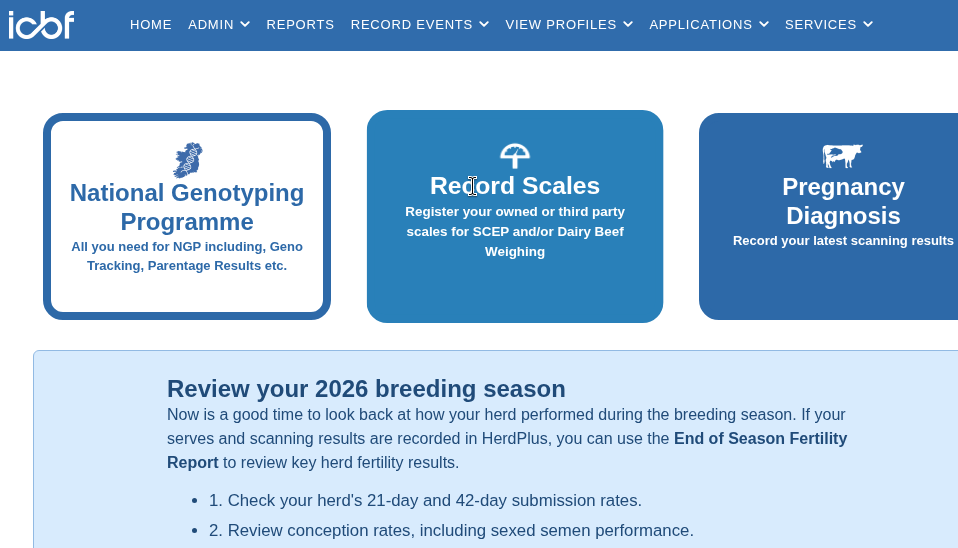
Log in to ICBF HerdPlus.
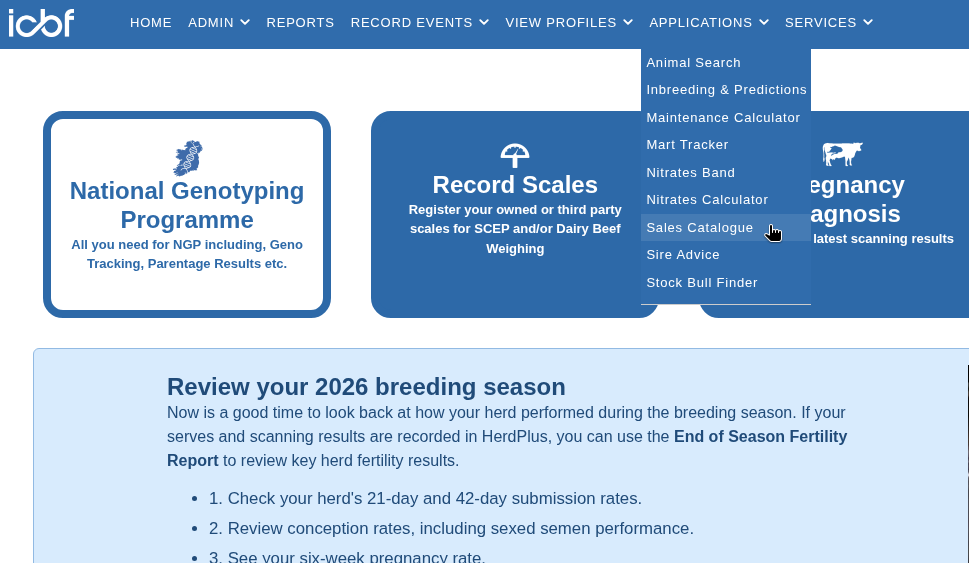
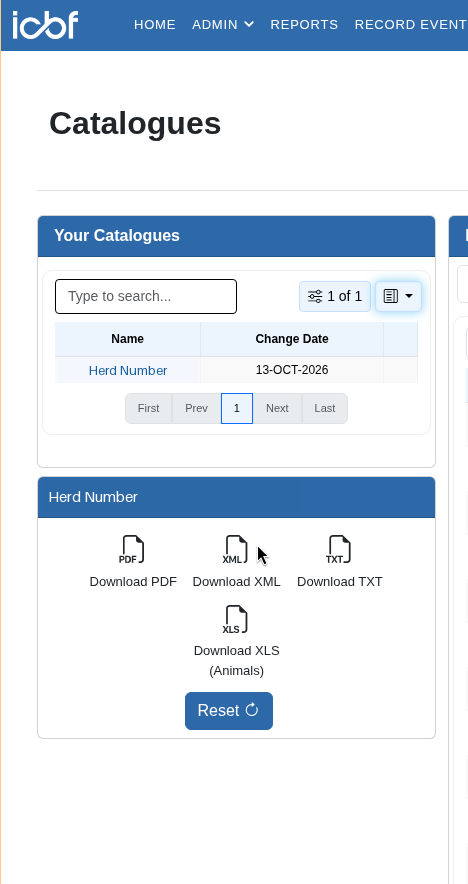
Open Applications, then Sales Catalogue.
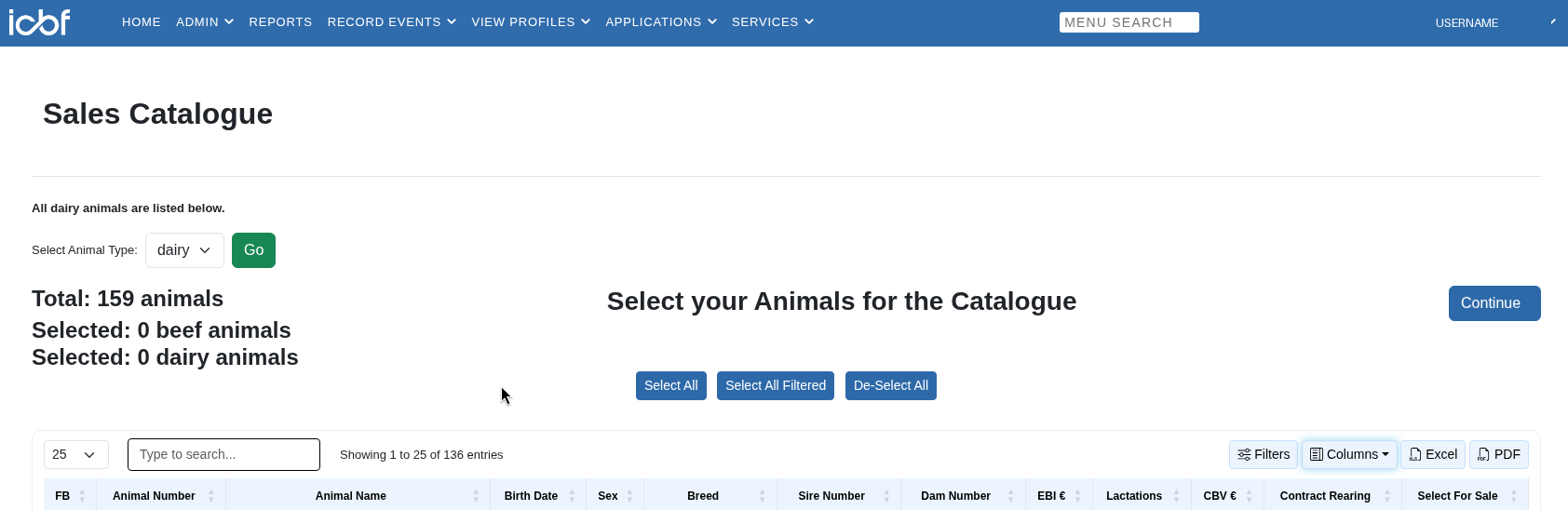
Click Select All so every animal is in it (heifers and calves too), then Continue.
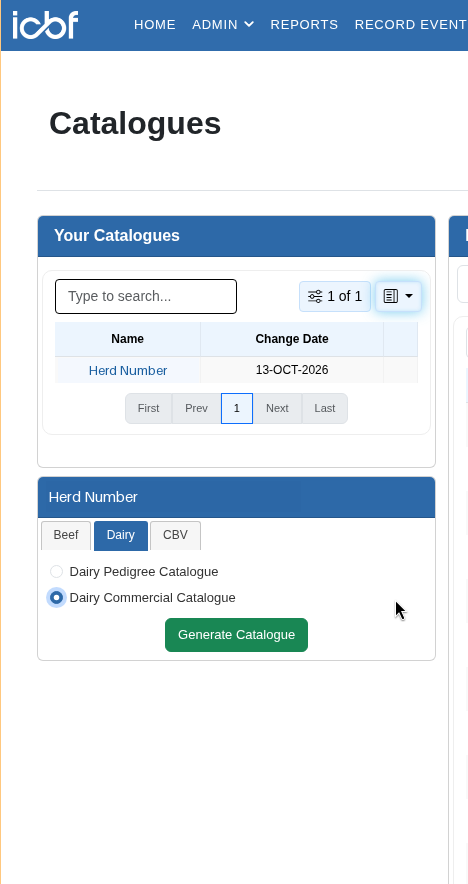
Under your herd number, pick the Dairy tab, tick Dairy Commercial Catalogue and click Generate Catalogue.
Click Download XML. That's the file to upload.
Fertility Profile
Excel. Serves, last bull, sexed or not, and pregnancy results for each cow. Used for the fertility score and the proposed cull list (no serves, scanned empty).
Open Record Events, then Heat & Serve.
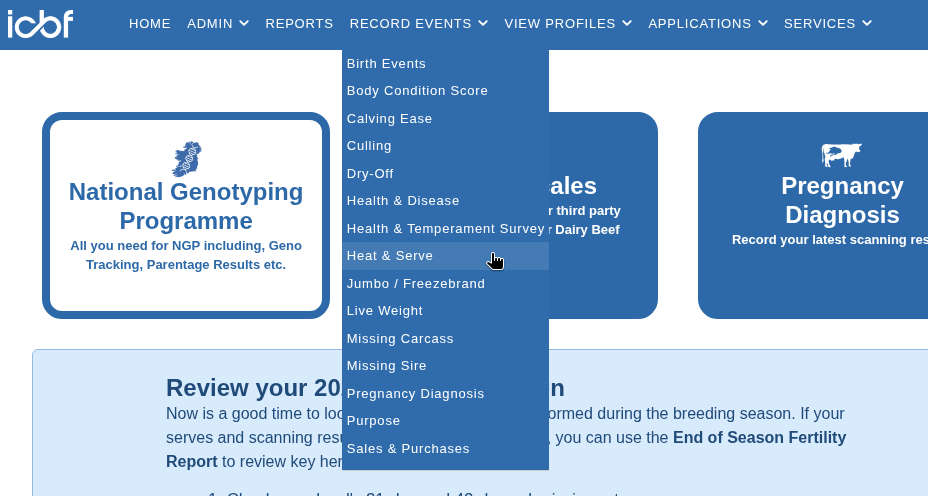
Click Excel to download it.

Inbreeding report
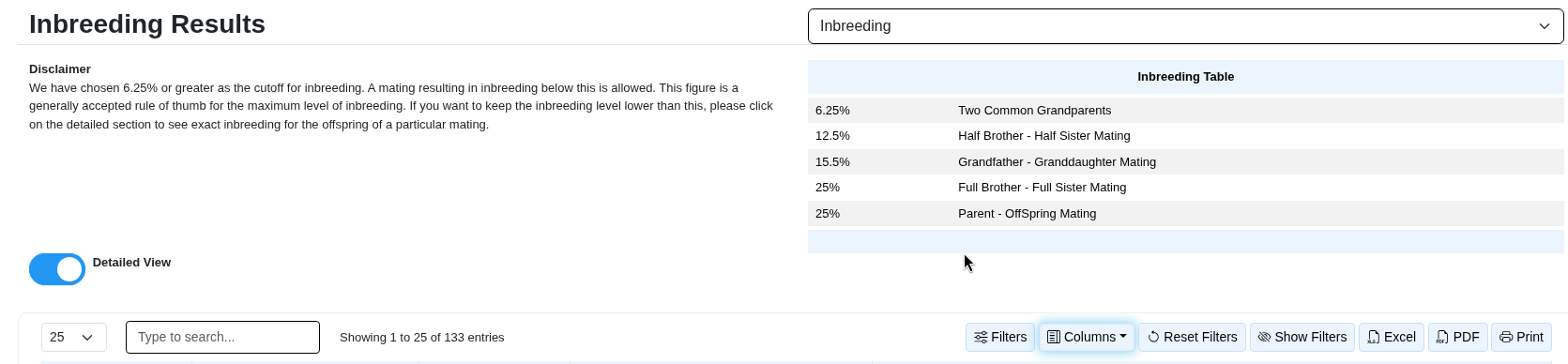
Excel, from your bull team. It tells Cownetics which bulls you're using and the inbreeding for every cow and bull pair. ICBF allows 10 bulls per report: for a bigger team, run it more than once and upload every report. The % version lets you set your own limit; the "OK" version fixes the limit at 6.25%.
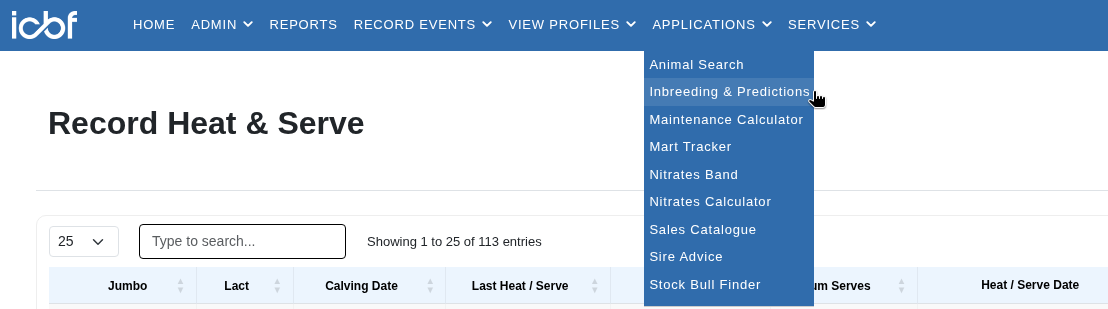
Open Applications, then Inbreeding & Predictions.
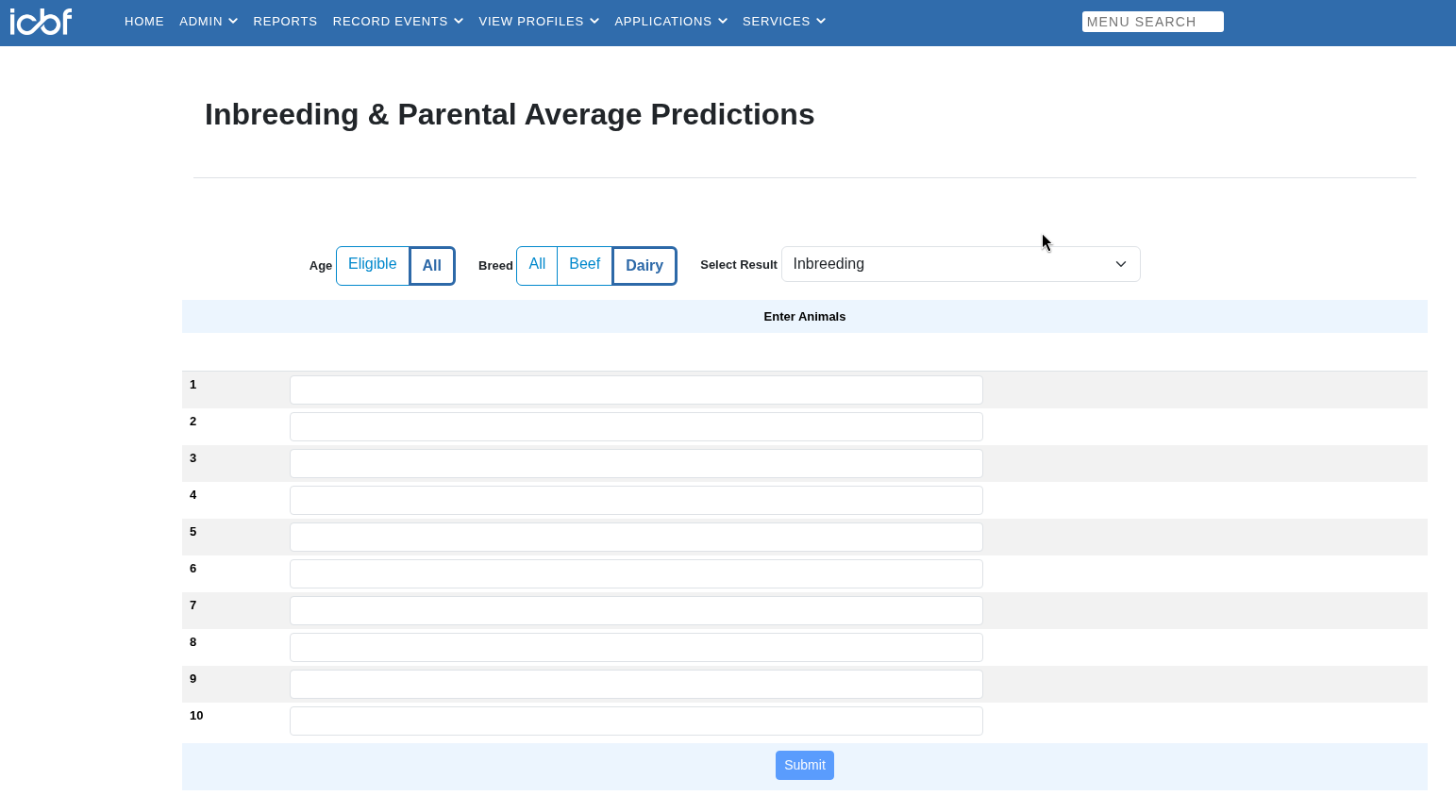
Set Age to All and Breed to Dairy, pick Inbreeding, type in up to 10 of your bull codes and click Submit.
Turn on Detailed View, then click Excel. For more than 10 bulls, do it again with the next 10 and upload every file.
Optional, but worth adding
Health and Temperament Survey
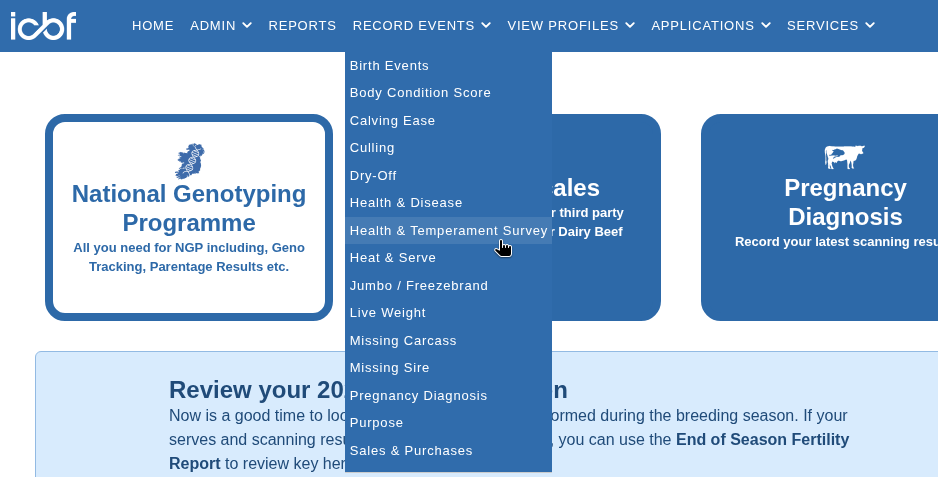
Excel. Mastitis and lameness cases this year. Used in the health score and the health watch list.
Open Record Events, then Health & Temperament Survey, and click Excel on that page.
Milk Recording SCC
Excel. Your milk recording SCC tests. Used in the health score and to spot cows consistently over 200.
Open View Profiles, then Milk Recording SCC under Dairy.
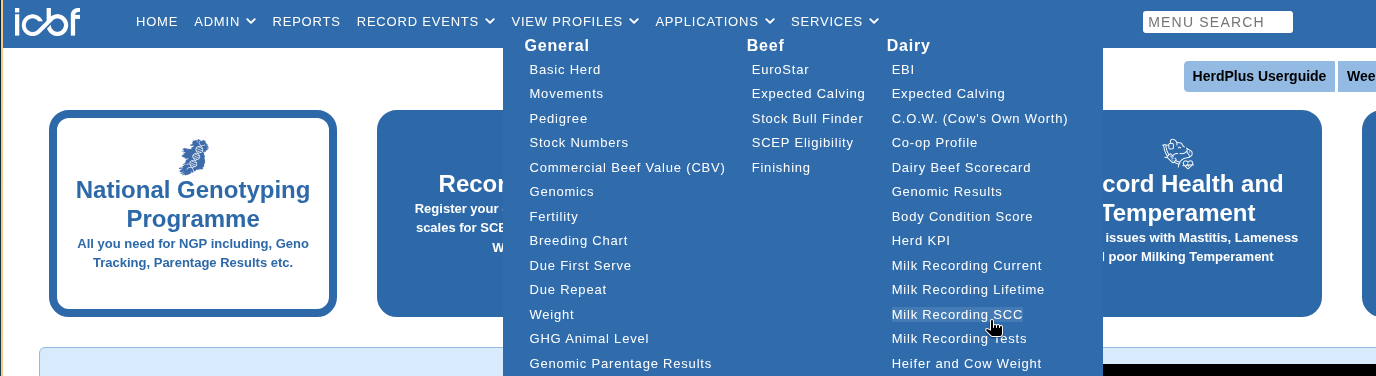
Click Excel to download it.

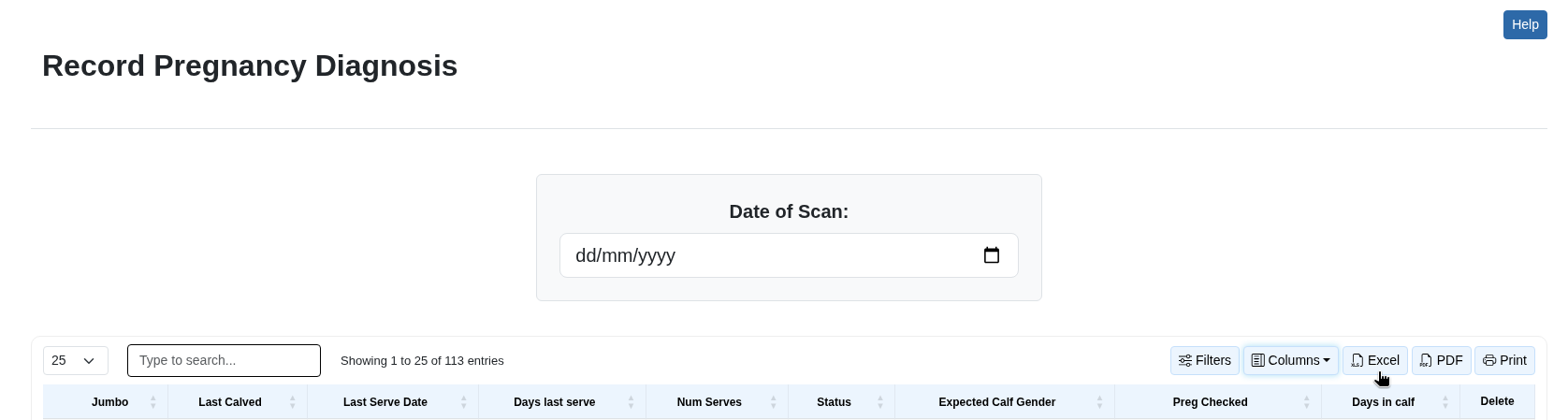
Record Pregnancy Diagnosis
Excel, from HerdPlus, once your cows are scanned. Gives confirmed in-calf numbers and adds scanned-empty cows to the proposed cull list.
Open Record Events, then Pregnancy Diagnosis.
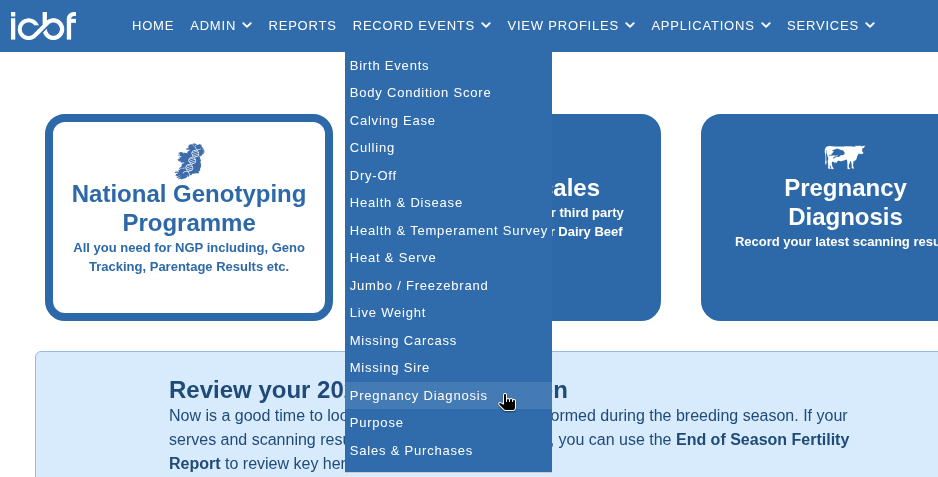
Click Excel to download it.
After your files
- Your herd. Check the herd facts from your files.
- Cows to leave out. Untick any proposed cull you want to keep, and tick any cow with high SCC, mastitis or lameness you want kept out of dairy breeding.
- Your breeding emphasis. More weight on EBI and fertility, more weight on yield, or the balance in between — this changes how your herd is ranked.
- Your ranking. Your herd in bands, then every animal from first to last with her key figures. Save it as a PDF or download it as a spreadsheet if you want it.
- Breeding questions. How much of the herd to breed for dairy, your replacement rate and conception rates, then your bull team with straws, your inbreeding limit and your heifer calving difficulty limit.
- Your plan. Up to three bulls for each cow in the dairy share, beef for the rest, as a page, a spreadsheet and a breeding chart to print for the AI man.